
Film Restoration and Colorization Services
Restoring and correcting artifacts in film has historically been a very time consuming and highly manual labour. Over the years, software companies have made efforts to release products that relieve some of this manual labour by semi-automating tasks. The user interface has often been quite technical and not very user-friendly so even with a complete feature-set they are often very hard to use.
This is where Recuro Media comes in. Our goal is to provide you with an online cloud-based tool to simplify film restoration, at a fraction of the time spent.
Contact Us for more information.
This is where Recuro Media comes in. Our goal is to provide you with an online cloud-based tool to simplify film restoration, at a fraction of the time spent.
Contact Us for more information.
Upscaling, Frame Rates and Sound
Upscaling to HD and 4K
- Output Scaling delivers your film in Full HD (1080) or upscaled to 4K (2160), together with any of the filters below.
- Upload your film in HD or 2K (up to 2048x1556, such as DCI 2K or a full-aperture 2K scan). 4K is always an upscaled result: larger pictures cannot be uploaded.
- Upscaling uses super-resolution scaling instead of a plain resize, so edges and fine detail stay sharp.
- Every result is a visually lossless, high-bitrate file: MOV (ProRes 422 HQ or 4444), MXF (DNxHR HQX or 444) or MP4 (H.264 or HEVC).
Frame Interpolation
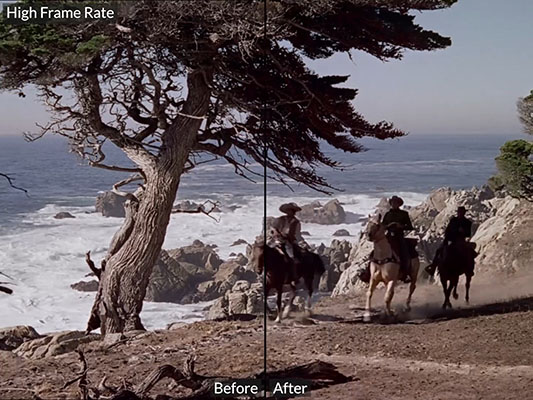
- High Frame Rate doubles the frame rate - 25 fps becomes 50 fps - with AI frame interpolation that creates new frames between the existing ones, for more fluid motion.
- Natural Speed makes silent films (shot at about 16 fps, scanned at 24/25 fps) move at a natural speed by adding interpolated frames. The clip gets longer, so its soundtrack is not kept.
Audio Restoration
- The three Audio Filters run on AI audio models: Reduce Noise, Increase Clarity and Normalize Volume.
- They restore a film's soundtrack together with the picture, or an audio-only file on its own.
Film Restoration Filters
Dust & Noise
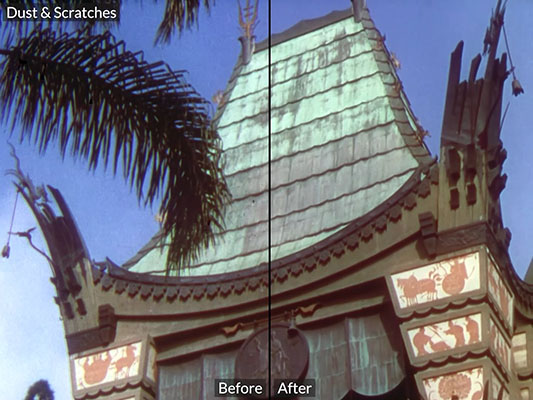
- Dust & Scratches removes stray hairs, retouches scratches and repairs damaged frames.
- Heavy Dust & Mold removes almost all dust and mold for extremely damaged film.
- Noise removes all inconsistent noise between frames and creates a smoother frame appearance.
- Re-Grain lets you re-grain the frames to keep that that classic look of film.
Color & Contrast
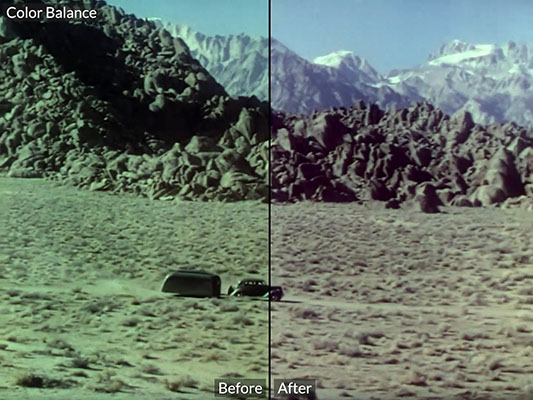
- Color Balance evens the white balance and removes discolourations often found in aged film.
- Color Saturation restores the color saturation in scenes that have a low/high saturation of colours.
- Contrast Expansion increases the contrast which increases details and sharpness.
- Colorize colorizes black and white or faded color material - more about film colorization.
Motion & Stability
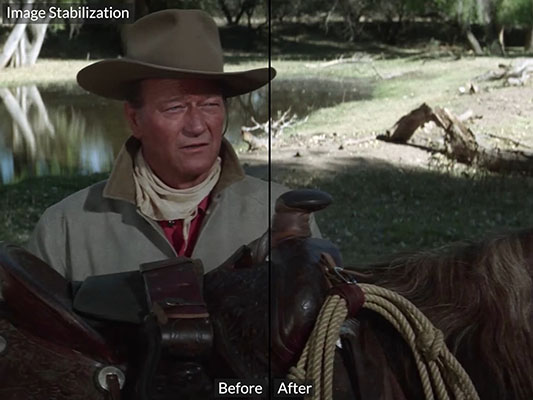
- Image Stabilization Reduces high frequency jitter from time of scanning.
- Reduce Flicker reduces light flickering between frames in old B/W movies.
- Content Stabilization reduces shakiness caused by instabilities when film was shot.
Miscellaneous Filters
- Adaptive Sharpness sharpens details in frames depending on scene sharpness.
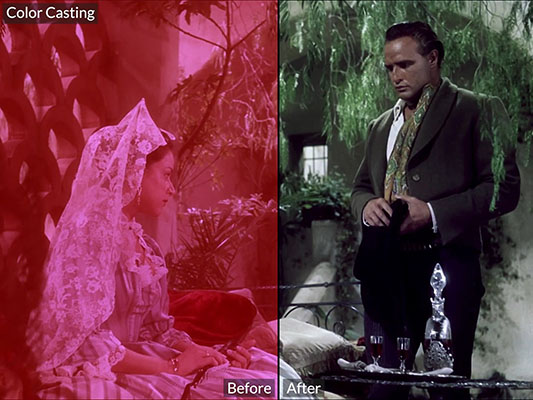
- Color Casting clears the colors in a film that is covered in a strong color haze.
- Bad Scene Changes replaces up to two bad frames between scenes.
Advanced Filters
- Repair Deinterlace repairs badly deinterlaced progressive material.
- High Frame Rate doubles the frame rate for a more fluid motion.
- Vertical Scratches reduces long constant vertical scratches along the frame.
- Natural Speed makes silent films (16fps scanned at 24/25fps) move along at a natural speed.
Audio Filters
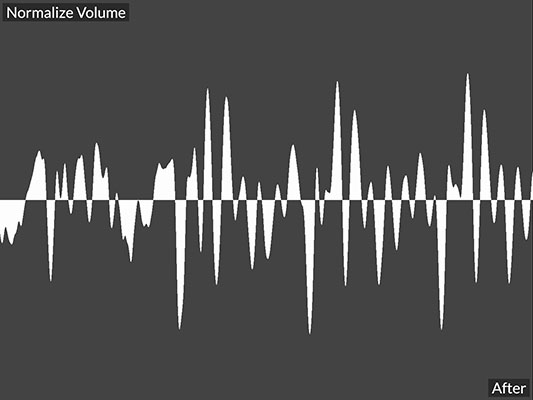
- Normalize Volume increases volume to a normalized level without clipping.
- Reduce Noise reduces background noise without affecting clarity.
- Increase Clarity increases clarity and makes voices and details easier to hear.
Plugins for Your Editing Software
Restore and colorize clips without leaving your editing software. The plugins send the clips you choose to Recuro Media, follow
the job (colorization keyframes are reviewed in the plugin) and bring the result back into
your project. They are for Windows today; the macOS versions are coming. Get them on the Downloads page.

Adobe Premiere Pro

Avid Media Composer


